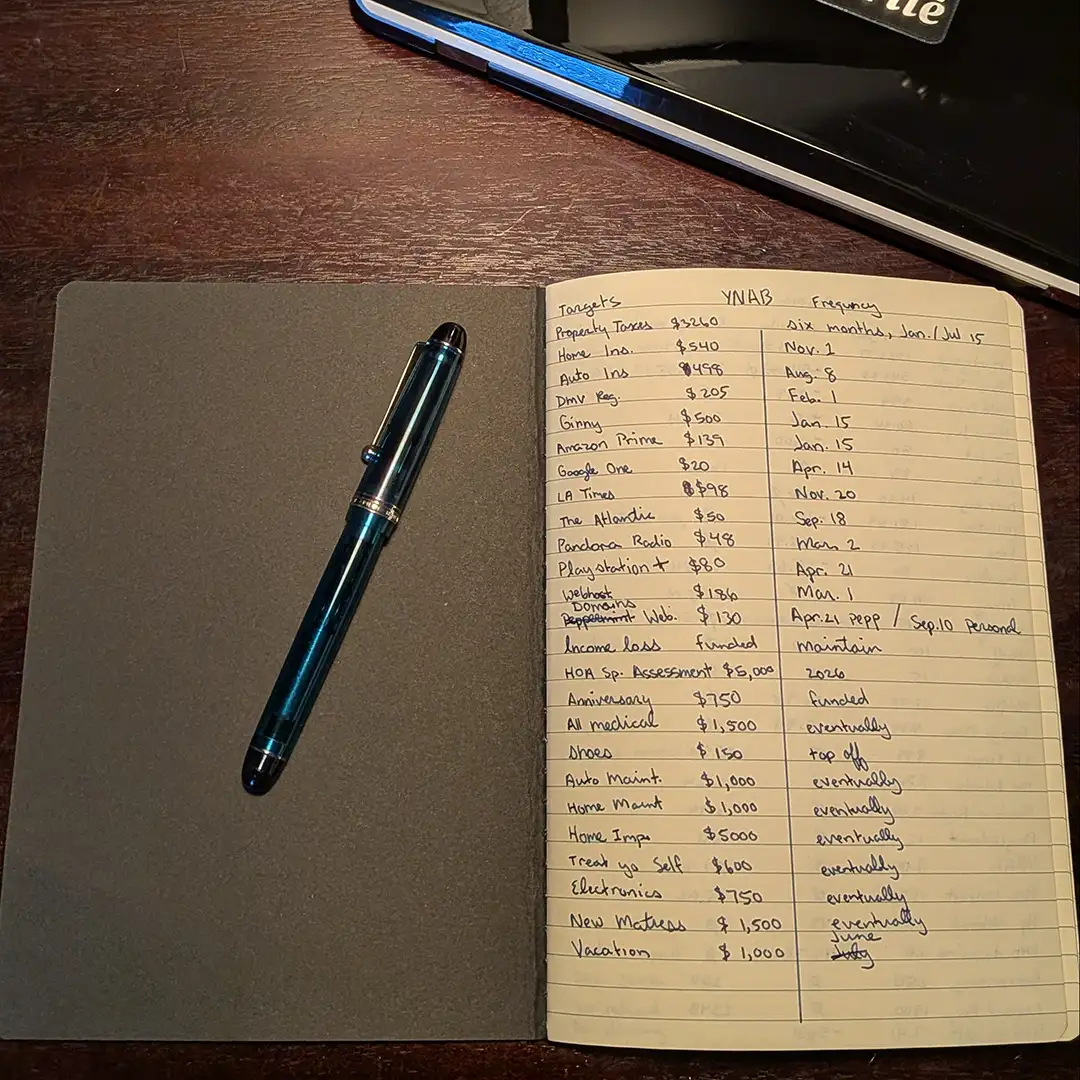
I don’t need the software subscription to use the You Need a Budget zero based budgeting method. All I need is paper, something to write with, and intention to maintain a routine. Assigning cash each payday, record transactions alongside, and reflect on balances as I go.
I began my YNAB on Paper experiment with a large A4 sheet with a pencil. Eventually settling on an inexpensive A5 notebook as I simplified my routine. Taking inspiration from the book, a spreadsheet, and the YNAB app which I use regularly. I created categories, assigned available cash, and tracked the transactions on paper alongside the app. Slower yes, but I found it provides for better reflection of my spending and priorities.
Tools and Supplies
- A dedicated A5 size notebook, grid or lined.
- A pencil or erasable pen.
The Notebook & Pen
Using an inexpensive paper cover, cashier style, 92 page A5 journal will provide enough space to track and journal my budget for at least a year. For the first few months I used a Pilot FriXion erasable pen.
The process is a simple set of three two page collection spreads, a budget, the monthly assignments, and a transaction ledger.
Three Collection Spreads
- Budget: A list of categories and their due date frequency for the year.
- Assignments: My category assignments for the month.
- Transaction Ledger: Dated list of transactions and their category.
Budget
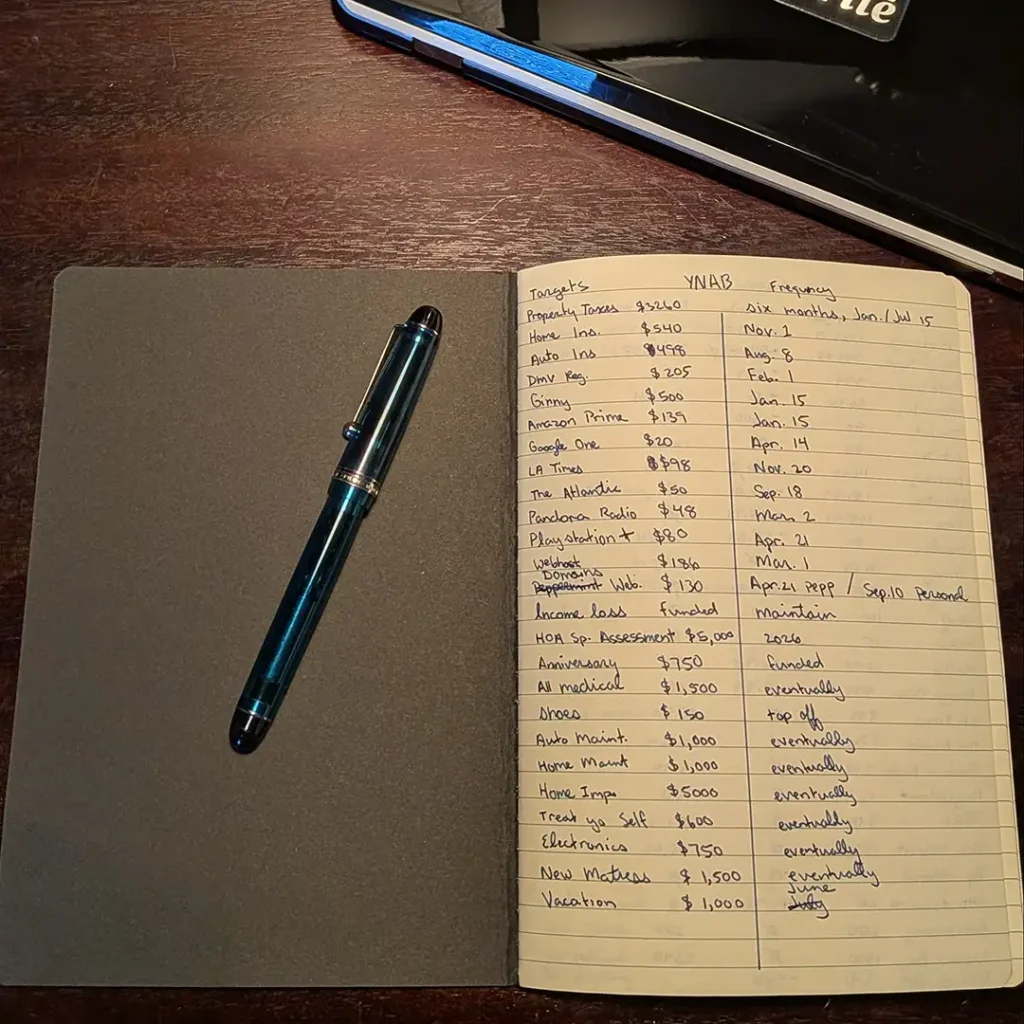
- Category Name
- Amount Needed
- Transaction Frequency
The Budget categories occupy the first spread. Each listed one per line with the following columns. Name, Amount, and Transaction Frequency. I tend to list each in order of personal importance. Mortgage, property taxes, HOA dues, home and auto insurance, utilities and pet care. These are the “Needs” that make up my true commitments. After these my “Wants” include subscriptions, entertainment, and anything I consider nice to have but could live without. Finally I list my “Flexible” categories. These start with my Savings goals and sinking funds for things like food and dining out, clothing, home and auto maintenance, electronics, and gifts.
For non-monthly commitments I take the amount needed and divide it by the number of pay periods, in my case months, until due. This gives me a fixed amount to assign each month.
Assignments
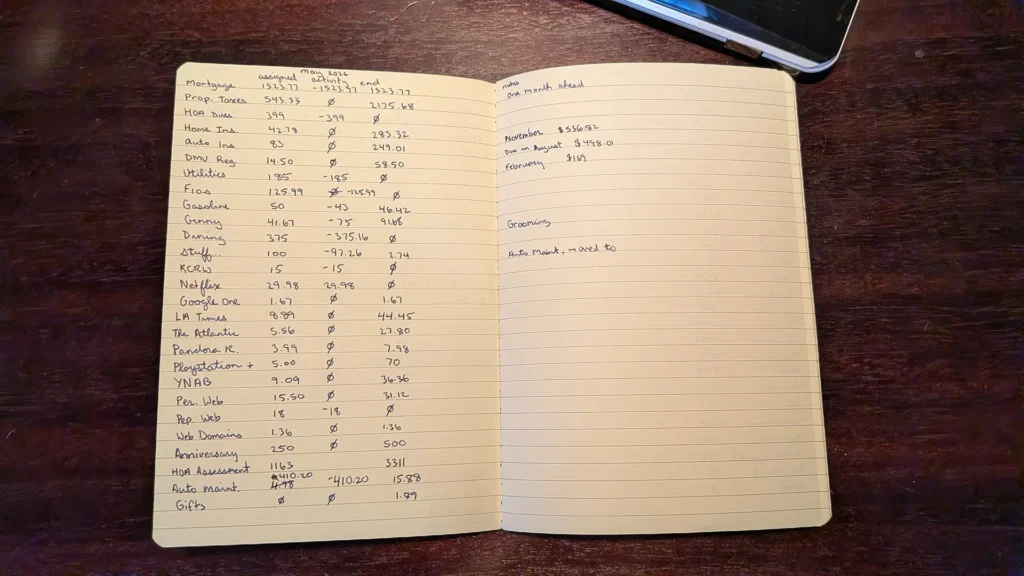
- Category Name
- Assigned: The amount assigned for the month.
- Activity: The amount spent from that category in the month.
- End: The remaining balance that rolls over to the next month.
The following spread is my Assignments where I list my intentions for assigned cash. I prefer to do this as a monthly spread but those who are paid in different frequencies may find a weekly or bi-weekly spread suits them better. Similar to the Budget Setup I list my categories in by priority starting with my Needs, Wants, then my Flexible categories.
Activity can sometimes be positive if funds are added after the initial assignment that month. I found updating my activity column at the end of the month worked well. However, single predictable transactions like my Netflix subscription can be recorded when it cleared my checking account.
Unpredictable categories like Dining Out, Gasoline, and others with multiple unpredictable transactions, should be tracked in the Transaction Ledger spread and reconciled at the end of the month.
Transaction Ledger
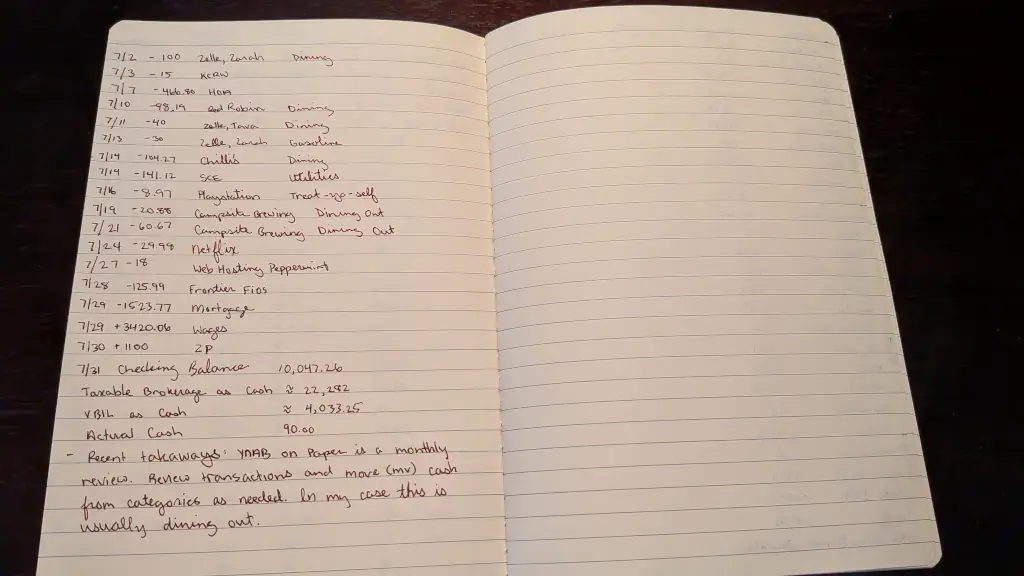
- Transaction Date
- Amount
- Category Name
- Category’s Remaining Balance
Final Thoughts
A sticky point is moving cash from one category to another as funds exceed their assignment. Dining Out is a perfect example, each month I assign $375, and every month I move cash from other categories to cover the shortfall. Category’s Remaining Balance can’t be negative so move cash came from a lower priority and reduce its balance at the end of the month. Because this is an ongoing issue I created a Stuff I Didn’t Budget For…, category and assign some extra cash there each month and move it where its needed during my end of month review.